



Key Takeaways
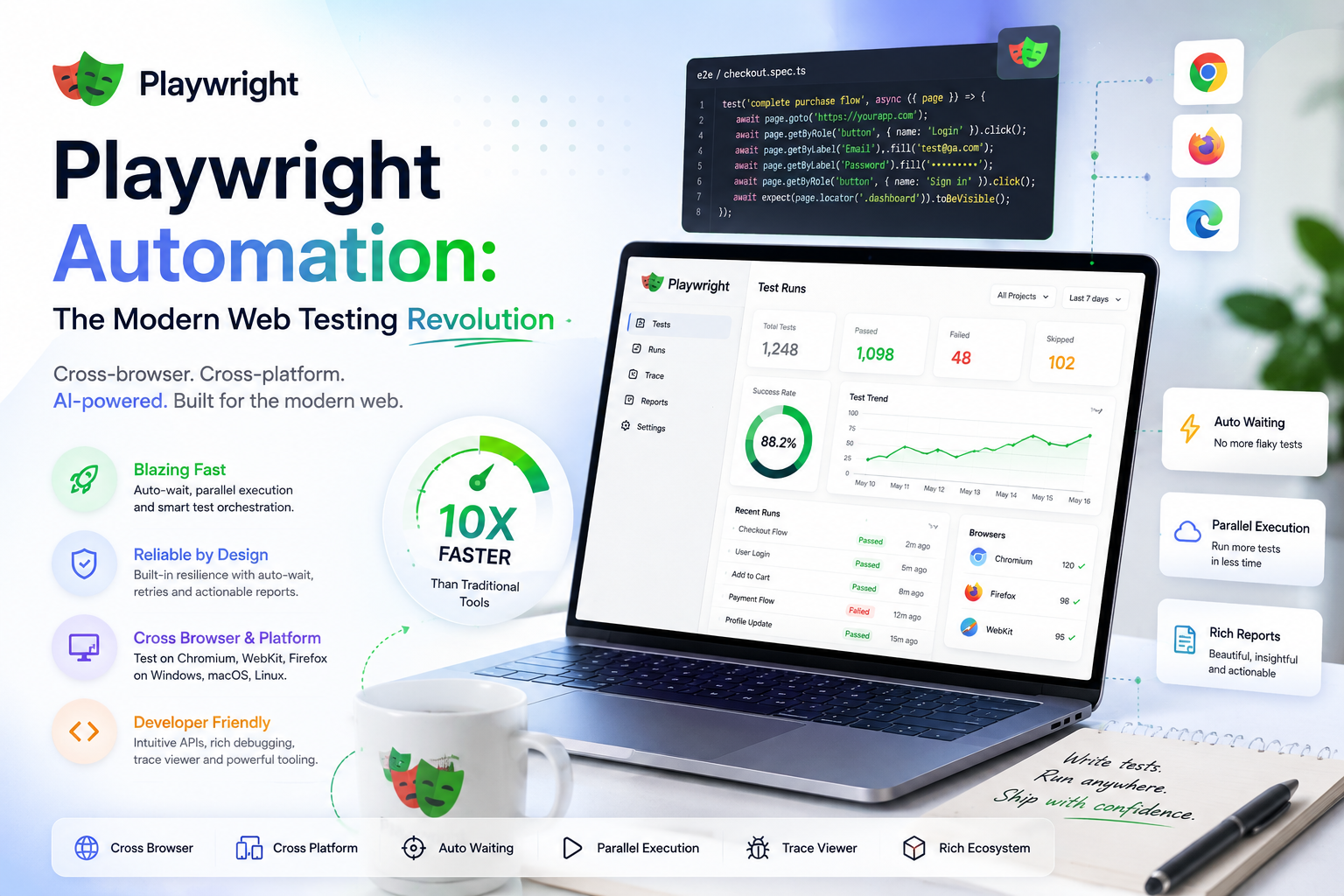
- One API across Chromium, WebKit, and Firefox, with auto-waiting and parallel workers out of the box.
- Trace Viewer replays failures with DOM, network, and console, 'works on my machine' stops being a debate.
- Best fit: complex UI flows, cross-browser needs, and responsive design Testing without physical devices.
Web Development is evolving, and so is the need for reliable, scalable Testing solutions. Among the tools available, Playwright stands out as a comprehensive, cross-platform framework. This post explores Playwright's features and how it transforms the Testing landscape.
Playwright, an open-source Node.js library developed by Microsoft, simplifies browser Automation across Chromium, WebKit, and Firefox. Its robust feature set and unified API let QA teams create reliable tests for desktop and mobile alike, setting a new benchmark in Test Automation.
Feature Highlights
- Cross-browser by default: Write once, run everywhere, all major browsers, no extra configuration.
- Visual comparisons: Catch UI inconsistencies by comparing screenshots across builds and browsers.
- Network mocking: Mock API responses to test frontend behavior independently of the backend.
- Parallel workers: Faster runs and efficient CI pipelines out of the box.
- Trace Viewer: A granular replay of every test run, screenshots, network requests, and event logs.
From Zero to First Test in Two Minutes
Playwright's onboarding is genuinely this short, scaffold, write, run. The locator-plus-web-first-assertion style below is why suites stay stable: every assertion auto-waits and auto-retries.
// npm init playwright@latest
import { test, expect } from "@playwright/test";

test("visitor can request a QA assessment", async ({ page }) => {
 await page.goto("https://qatechxperts.com");

 await page.getByRole("link", { name: "Free Assessment" }).click();
 await page.getByLabel("Work email").fill("vp-eng@example.com");
 await page.getByRole("button", { name: /request/i }).click();

 // auto-waits, auto-retries, no sleep() anywhere
 await expect(page.getByText(/within one business day/i)).toBeVisible();
});
Mobile Emulation Without Hardware
Device profiles ship in the framework, viewport, user agent, touch, and device scale in one line. Not a replacement for real-device passes, but it catches 80% of responsive breakage at zero cost:
import { test, devices } from "@playwright/test";

test.use({ ...devices["iPhone 14"] });

test("mobile nav opens and books a call", async ({ page }) => {
 await page.goto("/");
 await page.getByRole("button", { name: "Menu" }).tap();
 await page.getByRole("link", { name: "Book a Call" }).tap();
});
Parallel by Default, CI in Five Lines
Workers, retries, and cross-browser projects are configuration, not plumbing:
// playwright.config.ts
import { defineConfig, devices } from "@playwright/test";

export default defineConfig({
 workers: process.env.CI ? 4 : undefined,
 retries: process.env.CI ? 2 : 0,
 use: { trace: "on-first-retry" },
 projects: [
 { name: "chromium", use: { ...devices["Desktop Chrome"] } },
 { name: "webkit", use: { ...devices["Desktop Safari"] } },
 ],
});
Debugging With Trace Viewer
When a CI test fails, the trace is a full replayable recording, DOM snapshots, network calls, console, and every action with before/after screenshots. 'Cannot reproduce locally' stops being a conversation:
# record traces on retry in CI (see config above), then:
npx playwright show-trace trace.zip

# or debug live with the inspector
npx playwright test --debug
Where Playwright Fits Best
Playwright is an excellent choice for projects with:
- Complex UI flows: Multi-tab workflows and iframe-heavy applications.
- Cross-browser needs: Validation across browsers, including Safari (WebKit) and Edge.
- Performance questions: Bottleneck identification via network and resource metrics.
- Visual requirements: Subtle UI changes caught with automated screenshot comparison.
- Mobile and responsive design: Device emulation without physical hardware.
What QA Tech Xperts Brings
- Tailored Automation frameworks: Custom solutions that fit your project's requirements.
- Cross-browser expertise: Ensuring your app performs reliably across all platforms.
- CI/CD integration: Seamless pipeline setup to accelerate delivery.
- Visual regression: UI anomalies caught before your customers see them.
- Performance optimization: Bottlenecks identified and fixed for a smooth experience.
The Ecosystem in 2026
What started as a browser driver is now a platform. Component Testing runs React, Vue, and Svelte components in real browsers without booting the whole app. The API-Testing mode covers service checks in the same suite and syntax as UI flows. Codegen records interactions into clean scripts as starting drafts, the VS Code extension debugs tests like application code, and the trace ecosystem keeps growing. Most consequentially for 2026: coding agents write remarkably good Playwright out of the box, its locator conventions and auto-waiting map cleanly onto how LLMs generate code, which quietly made it the default target for AI-assisted suite building.
FAQ: Is Playwright hard to learn for Manual testers?
It's the friendliest entry into code-based Automation right now: TypeScript with heavy editor assistance, codegen for the first draft, and web-first assertions that eliminate the wait-time guessing that made Selenium brutal for beginners. A Manual tester with solid test-design instincts typically ships trustworthy Playwright tests within a few weeks, test design remains the hard skill; the tool is finally the easy part.
FAQ: Does Playwright cover Safari?
Playwright tests WebKit, Safari's engine, on any OS, which catches the large majority of Safari-specific rendering and behavior issues. It is not literally the Safari app with its extensions and settings, so pixel-critical or Safari-quirk-sensitive products should keep a thin real-Safari pass on a device cloud alongside the WebKit coverage.
Conclusion
Playwright is redefining the standard for modern web Testing with its robust features and ease of use. Whether you're tackling cross-browser challenges or enhancing CI/CD pipelines, it offers a reliable, scalable solution.
Looking for a trusted partner to implement Playwright on your project? QA Tech Xperts is here to help, let's build your Testing strategy together.
Want us to run this on your product?
A free 30-minute assessment. We'll tell you what's working, what's costing you time, and where to start. Findings delivered within days.
Get a Free QA Assessment